
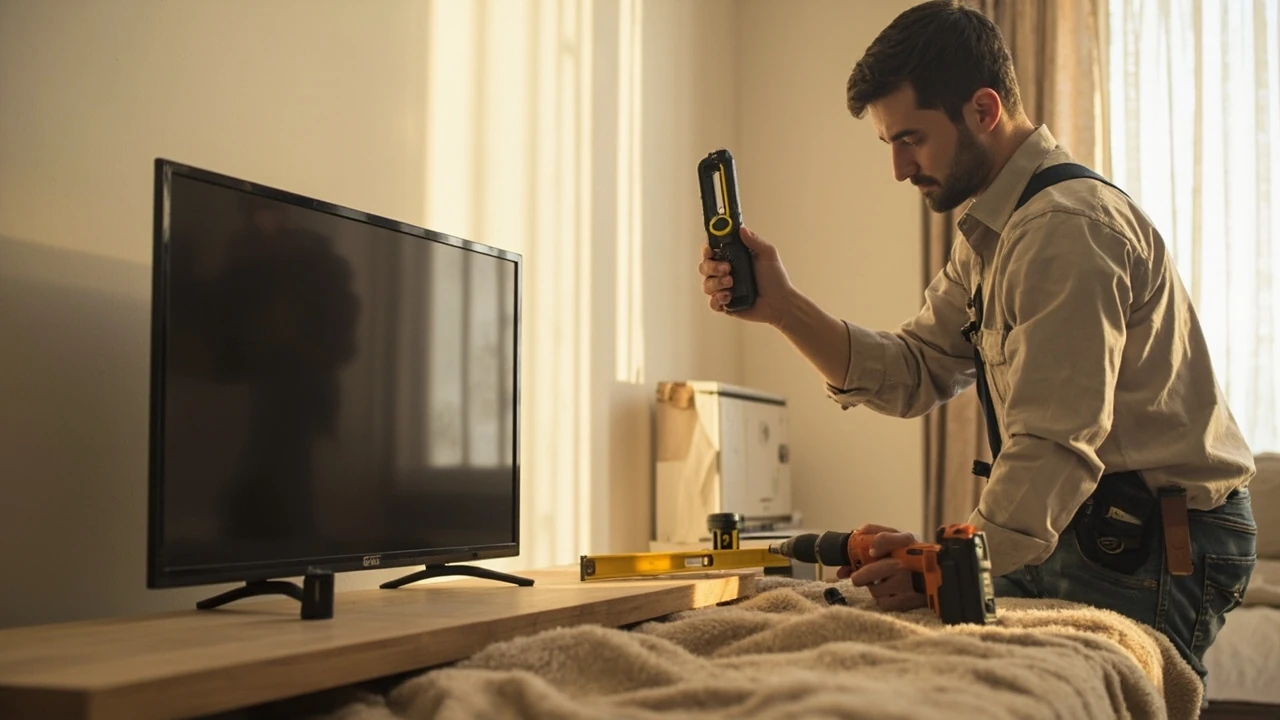
TV mounting service: what it really covers and when it’s worth booking
A homeowner in a 1960s ranch house wants a 65-inch television centered above a new electric fireplace, with the soundbar aligned and every wire hidden inside the wall. Another homeowner wants the same television in a bedroom with metal studs, a sloped ceiling, and an outlet on the opposite wall. The job description sounds identical, but the labor, hardware, and risk behind each one are very different. A TV mounting service exists to handle exactly that gap between “I bought a mount” and “the screen is safely on the wall and the cables are gone.”
This guide breaks down what a professional TV mounting service typically includes, how installers decide what will and will not work on a specific wall, what the visit usually costs, and the small set of questions that separate a careful job from a guess. It is written for a general homeowner audience, not for installers, so the focus is on the decisions you control before and during the visit.
What a TV mounting service actually includes
The phrase “TV mounting service” gets used loosely. Some providers mean “we hang the bracket and leave.” Others mean a full white-glove install with wire concealment, soundbar mounting, device setup, and a tutorial. Before you book, it helps to know which version you are paying for.
A standard visit from a reputable TV mounting service usually covers the following:
- A pre-arrival phone or text confirmation about screen size, weight, mount type, and wall material.
- An on-site wall inspection, including stud location, electrical outlet position, and the path for any in-wall cable runs.
- Mount assembly and attachment of the bracket to the television, often on a soft surface in the room where it will live.
- Drilling, anchoring, and lag-bolt installation into the structural framing or an appropriate anchor system.
- Final leveling, cable management, and a safety check of the installed bracket.
What is normally not included unless you ask for it:
- Running new electrical outlets or moving existing ones (this is electrical work and often requires a licensed electrician).
- Cutting and patching drywall for recessed boxes or low-voltage rings.
- Mounting to brick, stone, concrete, or plaster without prior notice (it changes the tools and time).
- Streaming device setup, smart-TV account configuration, or sound calibration beyond plugging cables in.
Asking the provider which of those line items are part of the quoted price prevents the most common billing surprise.
How installers decide whether your wall can hold the television
Most wall failures with mounted televisions are not the television’s fault. They are stud, anchor, or bracket problems. A trained installer follows a short decision tree before a single hole is drilled, and it is worth understanding it because it tells you what to prepare.
Step 1: identify the wall type
Residential walls are typically wood-frame drywall, metal-stud drywall, plaster over lath, brick, or concrete block. Each one changes the fastener, drill bit, and time on the job.
Step 2: locate the structure behind the surface
For a fixed or tilting mount, the bracket must hit at least one wood stud, and most pros prefer to land on two. A magnetic or electronic stud finder is standard. For a full-motion articulating arm, hitting two studs is almost always required, because the leverage on a swinging arm multiplies the load on each fastener.
Step 3: check for obstructions
Insulation, plumbing, ductwork, fireblocks, and existing electrical lines can all sit behind the drywall where you plan to drill. A careful installer will probe, look for nearby outlets as a clue, and avoid drilling near them on the horizontal axis.
Step 4: confirm the load rating
Every mount lists a maximum weight and a maximum screen size. Both must be checked against your specific television, not the average for its size class. A 55-inch screen can weigh 30 pounds or 70 pounds depending on the panel technology, so the model matters more than the diagonal.
Step 5: decide on cable management
If the cables are staying in the wall, the installer will normally cut two low-voltage pass-through plates and route HDMI, optical, and power through them. Running a standard TV power cord inside the wall is a code issue in many jurisdictions; an in-wall power relocation kit or a recessed outlet is the safer route, and a TV mounting service that does this work every day will know the local rule.
Wall types, mount types, and what they imply for the job
The interaction between your wall and your mount drives most of the time and risk on the visit. The table below summarizes the cases a homeowner is most likely to encounter.
| Wall surface | Typical mount compatibility | Hardware used | What changes on the visit |
|---|---|---|---|
| Wood studs behind drywall | All mount types | Heavy-duty lag bolts into the stud | Fastest, most secure case. Usually under one hour. |
| Metal studs behind drywall | Fixed and tilting; full-motion only with special blocking | Toggle bolts, snap toggles, or a metal-stud rated mount | Requires specific fasteners and often a different mount than the one you bought. |
| Brick or solid masonry | All mount types, including low-profile | Masonry anchors or sleeve anchors | Adds hammer-drill time and dust; expect 30 to 60 extra minutes. |
| Concrete block (CMU) | All mount types | Tapcon-style screws or sleeve anchors, into the solid face, not the hollow cells | Installer must avoid the hollow cores of the block. |
| Plaster over wood lath | Possible but risk of cracking | Stud finder plus careful pilot holes; sometimes a mounting plate spread across two studs | Older homes often need a plywood backer board to spread the load. |
| Hollow or thin paneling over framing | Limited | Must hit studs, sometimes through additional blocking | If the paneling is too thin to grip, the job may need a refit or a different location. |
The reason this matters for a homeowner is simple: a quote that assumes wood studs on a 16-inch center can balloon once the installer sees plaster over lath, because the time and the materials both change. Sharing photos of the wall and the planned location before the visit is the single biggest cost-control step you can take.
How installers pick the right mount for the room
Mount choice is usually discussed before the visit, but a good TV mounting service will confirm it in person. The three families below cover the great majority of residential installs.
Fixed (low-profile) mounts
The screen sits closest to the wall, usually within an inch. They are inexpensive, visually clean, and a good fit when the viewing height and angle are already correct. They are not forgiving of height mistakes, because there is no tilt or swing to correct the geometry later.
Tilting mounts
A slight downward tilt, typically 5 to 15 degrees, lets the screen sit a little higher than eye level, which is helpful above a fireplace or in a bedroom. They are a common compromise between looks and adjustability.
Full-motion (articulating) mounts
Two or three pivot arms pull the screen away from the wall and swing it left or right. They are popular in open-plan rooms, corner installations, and rooms where the seating angle changes. They are heavier, more expensive, and place more load on the wall, so stud hits and fastener ratings matter more.
What a TV mounting service visit usually looks like
Knowing the sequence reduces the chance of a miscommunication. Most visits follow a predictable arc.
- Walk-through and confirmation: the installer confirms the wall, the screen, the mount, and the cable plan.
- Furniture and floor protection: a drop cloth or pad is laid down, and any nearby furniture is shifted.
- Stud location and mark-up: the bracket holes are marked on the wall with a level.
- Drilling and anchoring: pilot holes are drilled, the bracket is attached, and the lag bolts are torqued to specification.
- Television attachment: the screen is lifted onto the bracket arms, secured, and tested for movement.
- Cable routing: HDMI, optical, ethernet, and power cables are connected and dressed.
- Final check: level, stability, cable strain relief, and a walk-through of any moving parts on the mount.
A single fixed-mount install with no cable concealment in a wood-stud wall is often a 45-to-90-minute job. The same screen on a full-motion mount over a brick fireplace with in-wall power and soundbar mounting is more like two to four hours, and it often takes two people.
What a TV mounting service typically costs
Pricing varies by region, by provider, and by what is bundled, but the components are consistent. The table below describes what most homeowners see on a quote, not a national average. National chains, local handyman services, and independent specialists all price these line items differently.
| Line item | What it covers | Typical scope notes |
|---|---|---|
| Base install (fixed or tilting mount, wood studs) | Bracket install and screen attachment | Often the headline price on a company’s website. |
| Full-motion mount surcharge | Extra time and the larger, heavier bracket hardware | Quoted as a flat fee or as an upcharge to the base install. |
| Wall type surcharge | Masonry, plaster, metal studs, or unknown framing | Most common reason a “from $X” price rises once the installer sees the wall. |
| Two low-voltage pass-through plates, cables fished through the cavity | Does not usually include new electrical outlets. | |
| Soundbar mounting | Separate bracket, alignment with the screen, and cable routing | Often billed as an add-on rather than included. |
| Old mount removal | Taking down a previous bracket and patching minor holes | Drywall patching beyond a small fill is usually outside scope. |
| Travel or minimum fee | Service-call or trip charge in some markets | More common in rural or low-density areas. |
Many reputable providers will not give a firm number until they have confirmed the screen model, the wall type, and the cable plan. That is not evasiveness; it is a reflection of how different the work can be. If a quote is given over the phone without those questions, ask how they are handling the unknown variables.
Safety and code considerations worth asking about
Most residential TV mounting service work is non-structural, but it touches building wiring and wall fire ratings, so a few details are worth raising.
- Fire-rated walls in multi-family buildings can require low-voltage rings that maintain the rating around the penetration. A good installer will know this and use the right plates.
- Power cords are not universally allowed to run inside walls. In the United States, the relevant guidance comes from the National Electrical Code and from in-wall-rated cable products like in-wall-rated HDMI and speaker wire; an in-wall power kit or a recessed outlet is the usual solution. Ask the installer which approach they recommend and why.
- Metal-stud walls may not provide enough grip for a heavy full-motion mount, even with toggles. A plywood backer screwed into multiple studs behind the drywall is sometimes the only safe path, and the installer should explain that before the wall is opened up.
- Mounting above a heat source, like a working wood-burning fireplace, is a different problem entirely. Heat shortens the life of electronics and adhesives, and the wall surface itself can be uneven. Many TV mounting service providers will decline this location or will recommend a mantel shield and a lower position.
For most single-family homes, none of these issues apply, but the conversation is worth having because the answers reveal how the installer thinks.
How to prepare your home before the installer arrives
The pre-visit prep is small but it removes most of the friction. A short checklist:
- Decide the exact height and lateral position of the screen. Tape a paper template to the wall and sit on the couch to confirm.
- Have the television, the mount, and any accessories in the room where they will be installed.
- Clear a three-foot area in front of the wall, and move fragile items off nearby shelves.
- Confirm which outlet will power the screen and whether a power relocation is needed.
- Identify any known wall quirks: a recent repair, a sound from a nearby pipe, or an exterior wall that may contain insulation or a vapor barrier.
This list sounds simple, but it cuts roughly 15 to 30 minutes off the average visit because the installer is not making decisions that you should have made.
Questions worth asking a TV mounting service before you book
The right questions do not just protect your wall; they tell you whether the provider is the kind of crew that will treat your home with care. A useful short list:
- Are you insured for damage to the home and to the television during the install? Can you send a certificate of insurance on request?
- Do you bring the mount, or do you expect me to supply it? If you supply it, what is the brand and the load rating?
- What does the price include, and what is billed separately? Get the answer in writing.
- How do you handle unexpected wall conditions? Is there a written change-order process?
- What happens if the bracket fails or the wall is damaged within a defined period after the visit?
- Will the same person quote the work and do the work, or is it a sales-and-install split?
If the answers are vague on more than one of those, keep shopping.
How a TV mounting service relates to broader home projects
Mounting a television is rarely a stand-alone project. It usually sits inside a larger change: a new media wall, a living room refresh, a bedroom remodel, or a basement finishing. The way a TV mounting service coordinates with the rest of that work matters.
If you are also having electrical, painting, or cabinetry work done, the order is usually paint and electrical first, with the television mount last. The bracket holes and cable pass-throughs are not something you want to make twice. If the wider project is a remodel that will eventually be inspected, the low-voltage cabling and any new outlets should be in place before the screen goes up. Homeowners planning a series of upgrades can get more value from a single coordinated visit than from a series of small ones, and that is one of the things a good home services contractor can help sequence.
It is also worth thinking about the room in context. A TV mounting service will focus on the screen, but the decisions around it, like lighting, sound, and seating distance, are part of the same problem. A 65-inch screen at ten feet is a different experience from the same screen at seven feet, and the mount height interacts with how a fireplace or a window throws light at the panel. Thinking about these together avoids a second visit.
When a TV mounting service is not the right answer
There are cases where the smarter move is to do something other than book a mount, or to delay it.
- The wall is hollow, the framing is metal, and you want a full-motion arm with a 75-inch screen. The hardware solution can be more expensive than the screen itself, and a different location or a fixed mount may be the realistic answer.
- The intended location is above a working fireplace, an exterior wall with rigid foam sheathing, or a wall shared with a neighbor’s unit in a multi-family building. The right path is usually a remodel, not a mount.
- The television is older and uses a non-standard VESA pattern. Adapters exist, but a one-off mount is often a sign that a future replacement screen is on the horizon.
- You plan to repaint or add paneling within the next year. Mount first, decorate later, and the holes will be in the wrong place.
In each of these cases, the TV mounting service is not wrong, but the broader project is incomplete, and it is better to finish that project before the bracket goes on the wall.
How to evaluate the work after the visit
A short post-install check is worth doing while the installer is still on site, because small adjustments are easier in the first ten minutes than in a return visit.
- Grab the bottom of the screen with both hands and gently try to lift and tilt it. The mount should not shift, creak, or flex.
- Run a full-motion mount through its full range of motion. Listen for grinding and watch for cable strain.
- Confirm that every cable has a small service loop and is not pulled tight against a connector.
- Look down the top of the screen and confirm it is level in both axes. A quarter bubble off is easy to fix now and annoying later.
- Ask the installer to walk you through the locking mechanism, the cable release, and how to remove the screen if you need to.
If anything in that list does not feel right, it is much easier to address it before the installer packs up.
What changes if you are renting rather than owning
Renters face a different calculus. The wall cannot be modified beyond small holes, and a TV mounting service may decline the job in a building with restrictions on penetrations. In those cases, the practical options are a no-stud mount that uses tension against the floor and ceiling, a freestanding TV cabinet, or a mount attached to a piece of furniture rather than the wall. The screen and mount are usually lighter in those setups, and the safety margins are smaller. Tenants should also keep the original packaging and a record of the wall condition at move-in, so the deposit conversation goes more smoothly.
Choosing between a national chain, a local specialist, and a handyman
There is no single right provider type, but the trade-offs are real.
- National chains usually have standardized pricing, online booking, and a corporate warranty. The installer on the day may be a contractor rather than an employee, and the wall-type surprises are usually billed as add-ons.
- Local specialists tend to have more flexibility on unusual walls, custom media walls, and clean cable work. Their schedules are often tighter, and the person quoting the job is the person doing it.
- Handyman services can be a good value for a simple fixed mount in a wood-stud wall, and they can fold the work into a larger visit. The trade-off is that they may not carry mount-specific hardware or in-wall-rated cable products on the truck.
The right choice depends on the wall, the screen, and how much you care about the finish. A simple wood-stud install is well within the range of any of the three. A full-motion mount above a brick fireplace with hidden wiring is not.
Common mistakes homeowners make before booking a TV mounting service
A short list of the missteps that show up most often:
- Choosing a mount by screen size alone, without checking the weight and the VESA pattern on the back of the screen.
- Buying a full-motion arm for a fixed viewing position, where a low-profile mount would look cleaner and cost less.
- Placing the outlet behind the screen, which makes power relocation a requirement rather than an option.
- Skipping the in-wall power kit and running an extension cord or a standard power cable inside the wall, which can fail inspection and create a fire risk.
- Mounting too high because the fireplace looks like a natural anchor, even though the viewing angle is uncomfortable from the couch.
- Forgetting to confirm whether the building’s rules or the lease permits wall penetrations at all.
Each of these is fixable, but the fixes are easier before the holes are drilled.
A short homeowner checklist for the day of the visit
Keep this near the front door on installation day:
- Television, mount, screws, and any soundbar hardware are in the room.
- Cables, power strip, and streaming devices are on hand.
- Drop cloth area is clear, and fragile items are moved.
- Pets are in a separate room for the duration of the visit.
- Final height and lateral position are confirmed with painter’s tape on the wall.
- A working outlet is identified or a power relocation plan is in place.
If you are also coordinating other home services, a single point of contact can keep the schedule coherent. The same checklist approach used when preparing a house for sale applies to a media wall project: define the goal, sequence the trades, and confirm the details before the first drill bit spins.
Frequently asked questions
How long does a typical TV mounting service visit take?
A single fixed or tilting mount on a wood-stud wall is usually 45 to 90 minutes. A full-motion mount on brick, with in-wall cable management and a soundbar, is more commonly two to four hours, and often takes two installers. Add time if the screen is over 75 inches or if a backer board has to be installed behind the drywall.
Do I need to buy the mount myself?
You can, but it is worth asking the TV mounting service what they recommend for the specific screen and wall. Many providers will supply a mount as part of the package, and the hardware is then covered by their warranty. If you supply your own, confirm the load rating, the VESA pattern, and whether the box includes the lag bolts you actually need for your wall type.
Can a TV mounting service hide the cables inside the wall?
Yes, with two caveats. Low-voltage cables like HDMI and optical can usually be fished through the wall cavity between two pass-through plates. The television’s power cable is a different matter. Many jurisdictions do not allow a standard power cord in the wall, and the safer approach is a recessed outlet behind the screen or an in-wall power relocation kit. A qualified TV mounting service will explain which path they are using and why.
What if my wall has metal studs?
Metal studs are workable, but the hardware and the mount both have to be right. A fixed or tilting mount is usually fine with the correct toggle bolts. A heavy full-motion arm often needs a plywood backer behind the drywall, screwed into several studs, to spread the load. The installer should be able to explain the plan before any holes are made.
Is it safe to mount a TV above a fireplace?
It depends on the fireplace. Electric fireplaces with a cool front are commonly used as a media wall anchor, and a mantel shield can keep heat off the screen. Working wood-burning fireplaces are a different problem because the heat shortens the life of the panel and the wall surface is rarely flat. Many TV mounting service providers will recommend a different location, or a mantel and a lower mount, before they will quote the work.
How do I know if my wall can hold the television?
The short version is that any wood-stud wall can hold a typical television with a properly rated mount, and a masonry wall can hold one with the right anchors. The cases that need extra thought are metal studs, plaster over lath, hollow paneling, and any wall where the framing is not standard. A careful installer will check the wall before drilling and will explain what they are doing as they go.
What is the difference between a fixed, tilting, and full-motion mount?
A fixed mount sits closest to the wall and does not move, which is clean but inflexible. A tilting mount angles the top of the screen down a few degrees, which is useful for screens mounted above eye level. A full-motion mount has arms that pull the screen away from the wall and swing it side to side, which is useful in open rooms or corner seats but heavier and more demanding on the wall.
Do TV mounting service providers also connect the devices and set up the smart TV?
Some do and some don’t, and it is worth asking up front. Setup beyond plugging in the cables, including signing into streaming accounts, updating firmware, and calibrating the picture, is sometimes a separate line item. A full white-glove install will usually include a basic walkthrough of inputs, apps, and remote pairing, but it will not include account passwords or paid subscription setup unless that is part of the quote.
What happens if the wall is damaged during the install?
A reputable TV mounting service carries liability insurance that covers accidental damage to the home during the visit, and they should be able to send proof of coverage on request. Small drywall holes and the dust from drilling are normal and expected. Anything beyond that, including a misdrilled stud, a cracked tile, or a damaged cable inside the wall, should be documented and resolved through the provider’s warranty process rather than out of pocket.
How far in advance should I book?
In most markets, a week or two of lead time is normal, and longer around holidays. If the visit is part of a larger project, like a media wall with electrical and paint work, it is worth booking further ahead so the trades can be sequenced. Many providers will hold a tentative slot based on photos and a short description of the wall, and then confirm the details closer to the visit.
Leave a Reply